
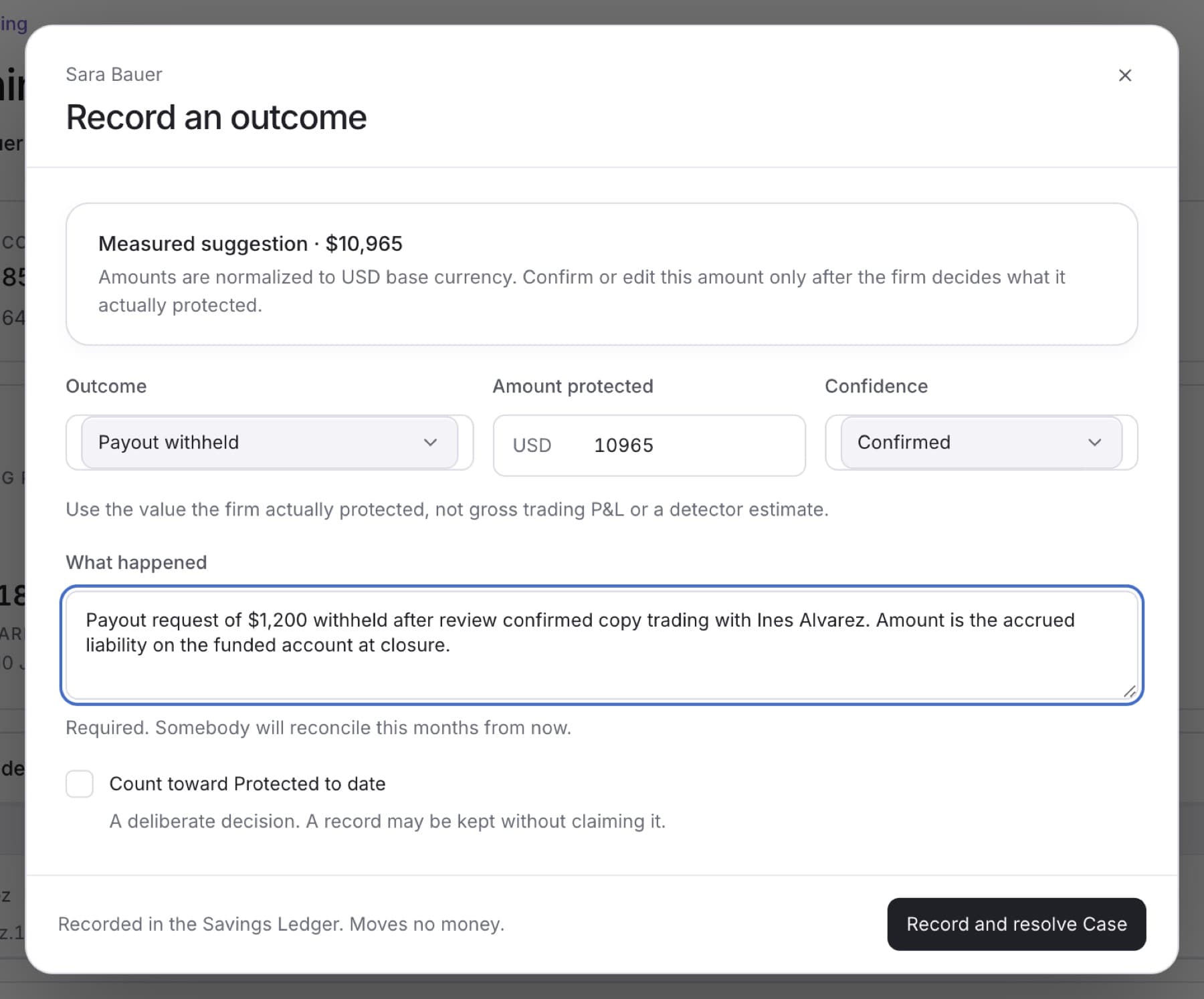
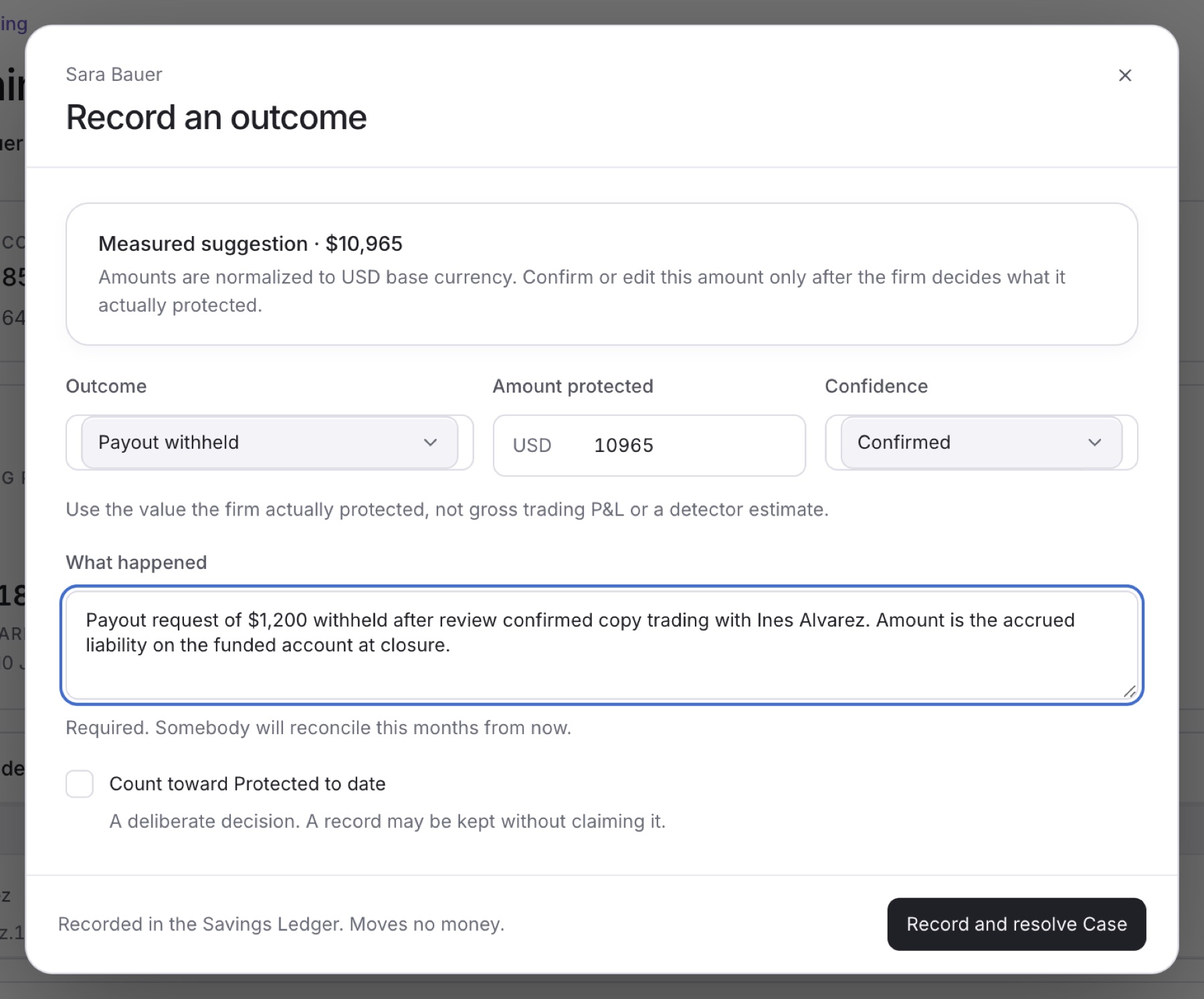
Record an outcome when your firm has decided what a Case protected, for example a payout it withheld. The record goes into the Savings Ledger. It does not move money.
- In the sidebar, under RISK, click Cases.
- Click the Case.
- In Case properties, next to Outcome, click Record outcome.
- Click Outcome and choose what happened, for example Payout withheld or Exposure closed.
- In Amount protected, check the amount in USD and change it if needed.
Tip: If a Measured suggestion is shown, it is a starting point from the trader's funded-account liability. Enter the value the firm actually protected, not gross trading profit or a detector estimate.
- Click Confidence and choose Confirmed, Probable or Estimated.
- In What happened, write what happened and why this is the amount. This field is required.
- Select Count toward Protected to date only if your firm wants this amount in its Protected to date total.
- Click Record outcome. On some Cases the button says Record and resolve Case, which also closes the Case.
Result: The dialog closes and the button next to Outcome changes to Outcome recorded.
Tip: If you see Enter a positive protected amount that the firm can support., the amount is empty, zero or not a number. If you choose the confirmed clean outcome, the amount is fixed at 0 and cannot count toward Protected to date.