
Targets
Progress toward revenue, profit, and payout-ratio targets, with a run-rate projection.
Targets
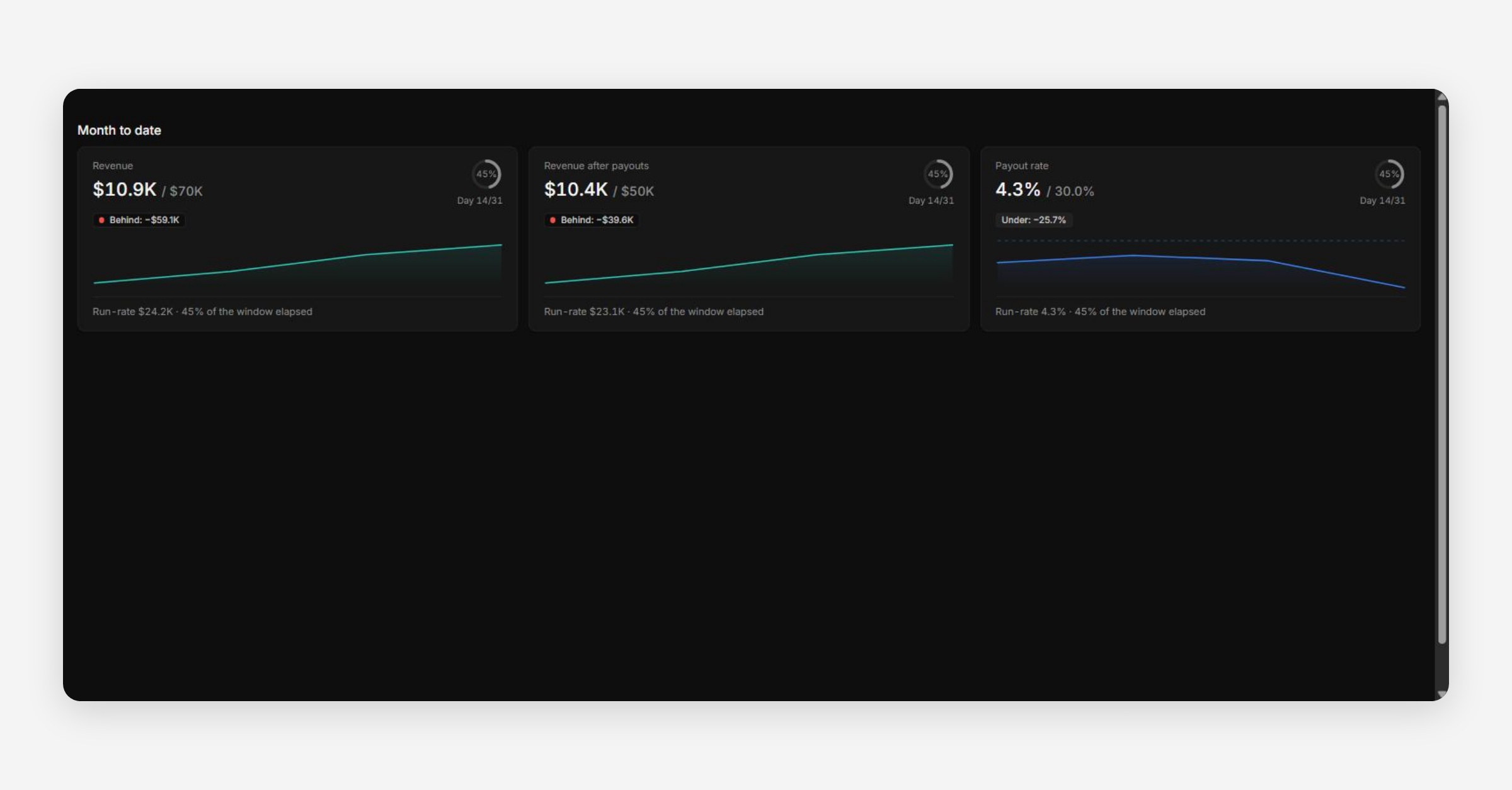
Targets tracks "progress toward revenue, profit and payout-ratio targets — with a run-rate projection for whether each period lands on plan."
How Targets Work
A target is your firm's own number — QuantSentry never supplies one. Set targets in Settings → Targets; this page only shows progress once at least one target exists. Until then, it displays an explicit empty state rather than a blank page.
Reading a Target Card
Each metric (e.g. Revenue, Revenue after payouts, Payout rate) shows:
Current value / target value for the period (e.g. Month to date)
A progress ring showing elapsed-time percentage
A Behind / Over badge with the gap in absolute terms
A run-rate projection — where the period is likely to land if the current pace continues, alongside "% of the window elapsed"
The run-rate projection is what makes this more than a simple progress bar: it answers "are we going to land on target," not just "how far have we come."
Payout Rate as a Target
Payout rate is worth setting a target on even though — unlike revenue — you generally want it to stay below a ceiling rather than climb toward a number. An "Over" badge on payout rate is a signal worth a same-week look, similar to how v1 treated a rising risk trend.
Was this helpful?