
Use a custom webhook when your store or payout system is not in the connection catalog. Your system sends each event to a QuantSentry address. You need the Owner or Admin role, and someone who can send a test event from your system.
A webhook is not live until QuantSentry receives a real test delivery and you confirm how its fields map. Until then, deliveries are held for review and not written into any record.
- Select Settings, then select Connections.
- Select Add connection.
- Under Revenue & payouts, select Custom webhook. The Set up a webhook page opens.
- In Event type, select Revenue or Payout.
- In Auth mode, select Bearer token.
Tip: No authentication lets anyone with the address send events. If you choose it, you must tick the warning box first. Bearer token is strongly recommended.
- Select Create draft endpoint.
- Copy the Delivery URL and the Bearer credential into your system's webhook settings.
Tip: Copy the bearer credential now. It is not shown again.
- Send one test event from your system. The page shows Waiting for a test delivery… and checks every few seconds.
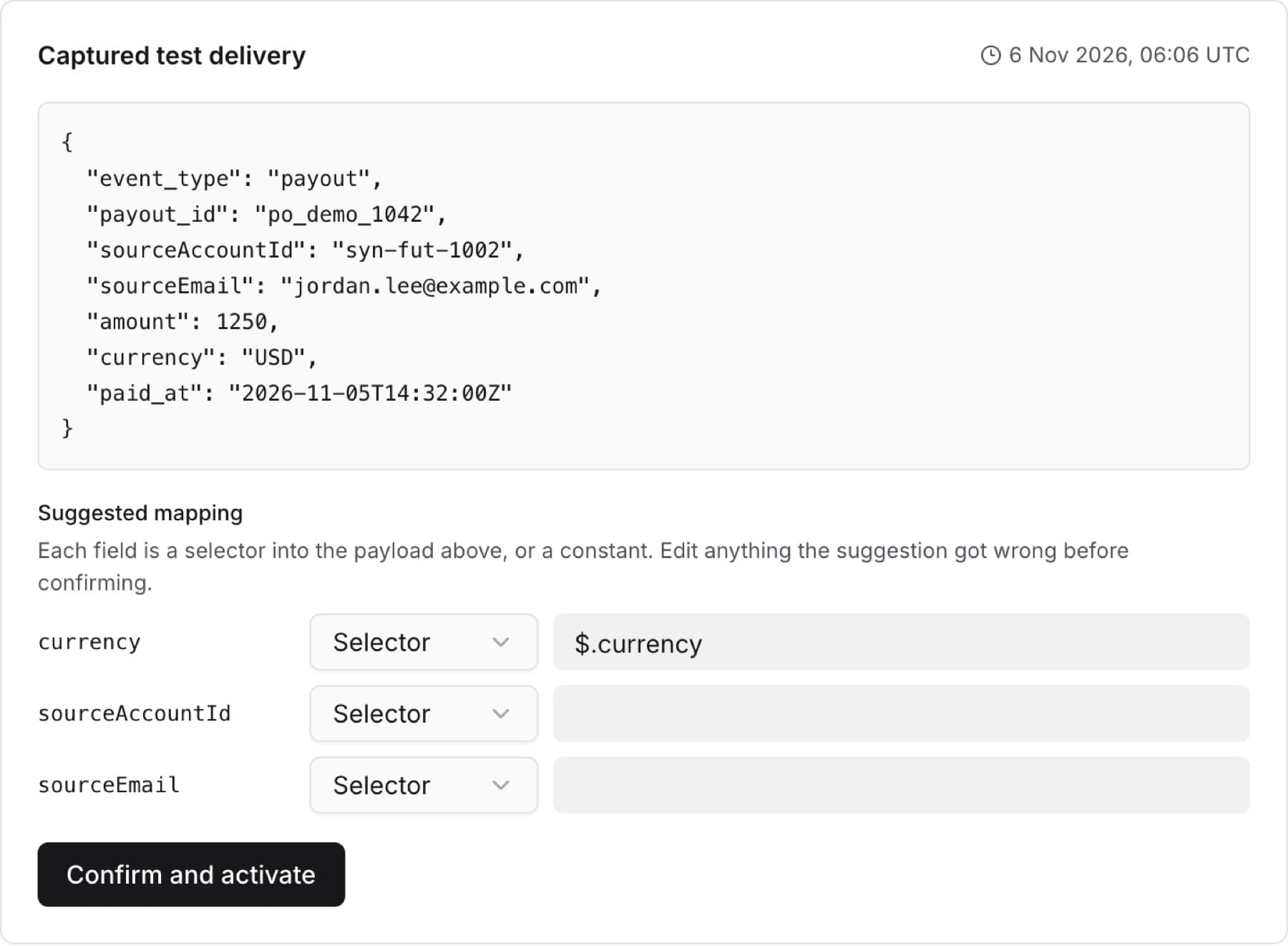
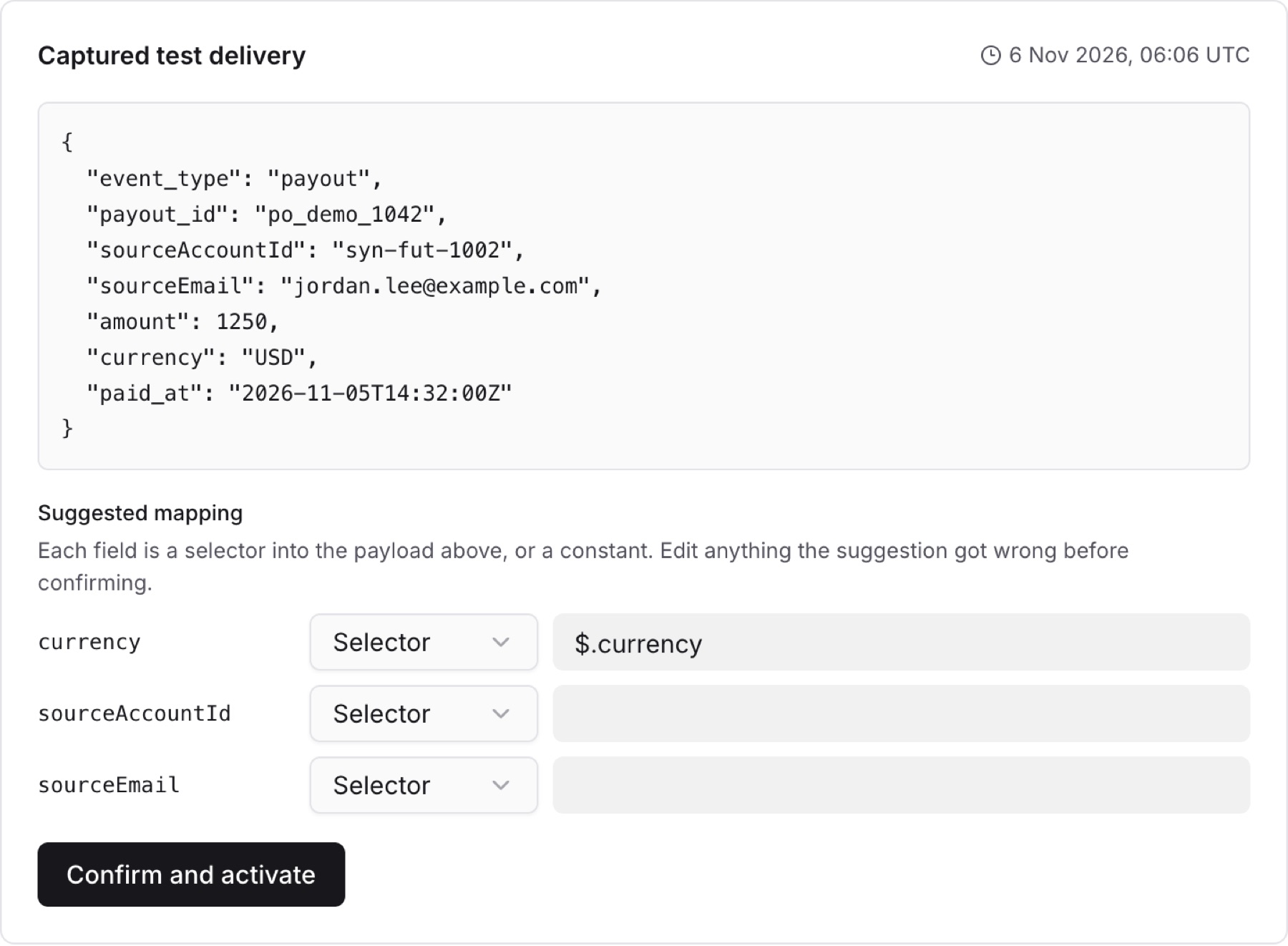
- When Captured test delivery appears, review the Suggested mapping. For each field, choose Selector (read the value from the event) or Constant (use a fixed value) and correct the value if needed.
- Select Confirm and activate.
Result: The page shows This endpoint is live. New deliveries to the address are written into records.