
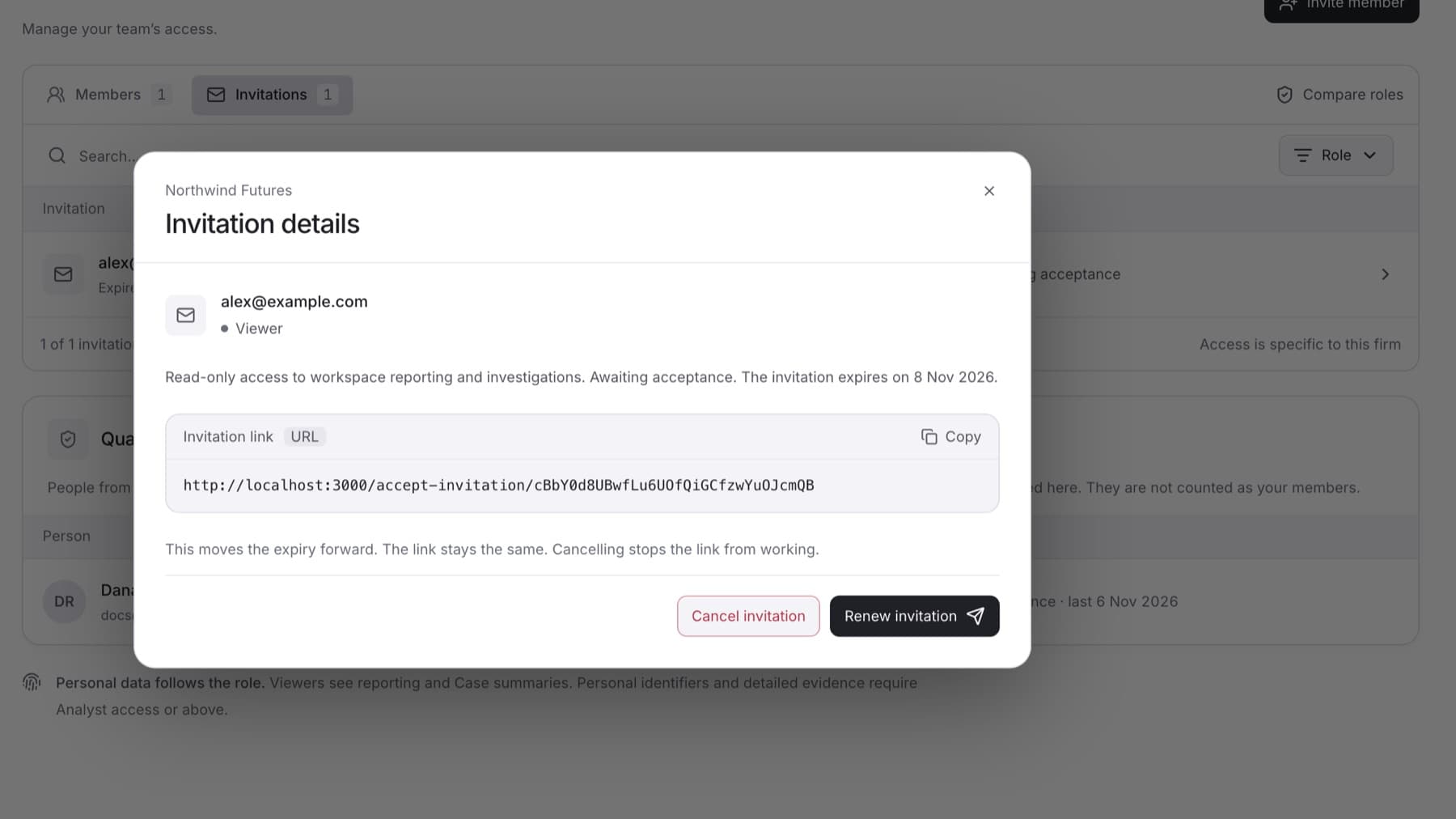
Follow up on an invitation that was not accepted, or withdraw it. You need the Owner or Admin role.
- Select Settings, then select Members.
- Select the Invitations tab.
- Select the manage button at the end of the invitation's row (Manage followed by the email address). The Invitation details dialog opens. For an expired invitation it is titled Invitation expired.
- Choose what to do:
- To send it again, select Resend invitation (or Renew invitation if your workspace does not send email). The expiry moves forward and the link stays the same.
- For an expired invitation, select Send a new invitation (or Create a new invitation). This cancels the expired one and creates a new link with the same role.
- To withdraw it, select Cancel invitation.
Tip: To share the link yourself, copy it from Invitation link in the same dialog.
Result: A message confirms the change, for example The invitation was sent again with a later expiry. or The invitation was cancelled. Its link no longer works.