
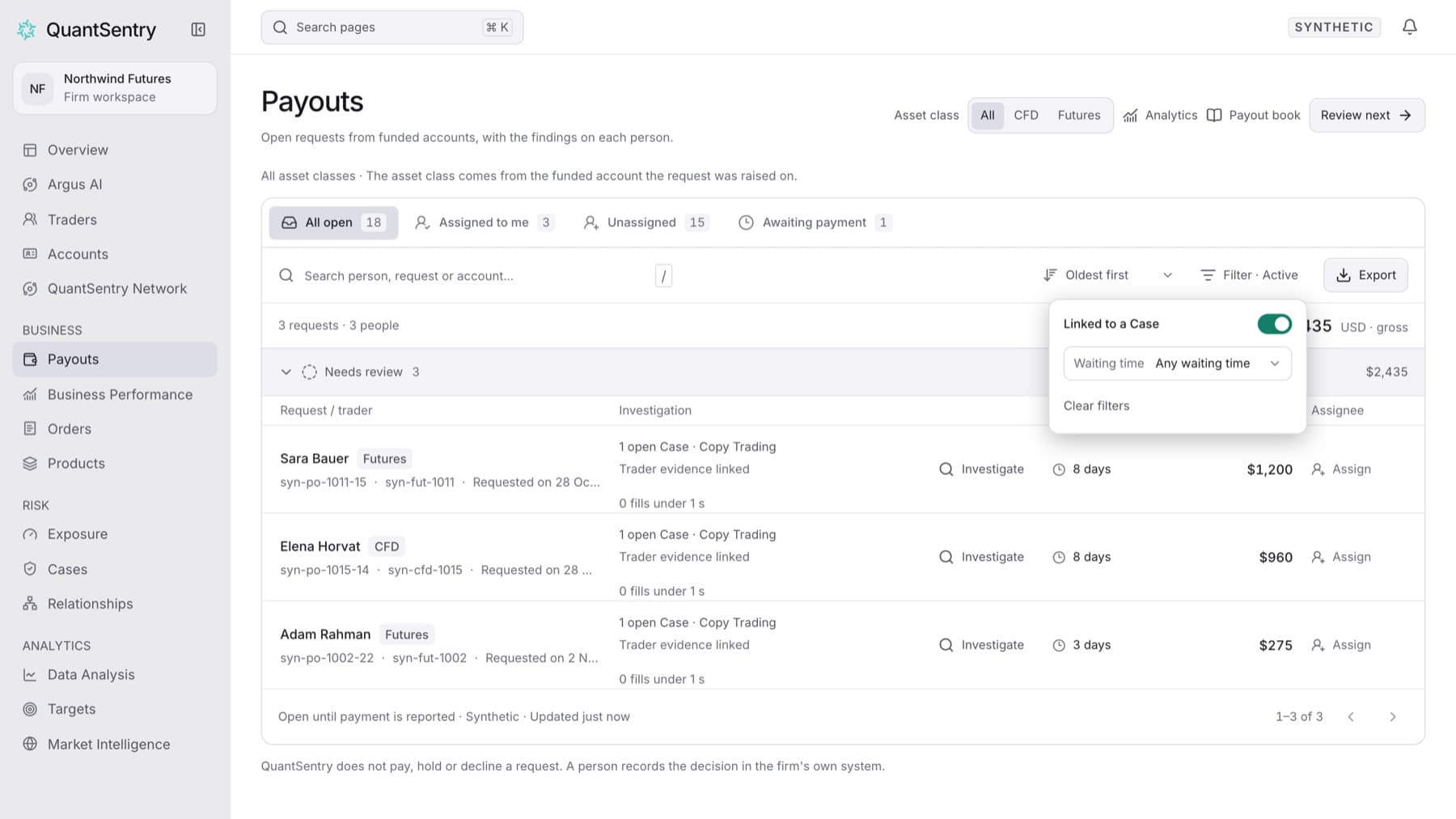
Show only the pending payout requests from traders who have an open Case. Any workspace role can do this.
- Click Payouts in the side menu.
- Click Filter above the queue.
- Turn on Linked to a Case.
- Optional: choose a Waiting time (0–2 days, 3–14 days or 15+ days) to narrow the list further.
- Close the filter panel.
Result: The queue lists only requests linked to an open Case, and the button reads Filter · Active. Each row shows Linked to a Case as its reason.
Tip: From Analytics, the Needs investigation panel ranks the people behind these requests by pending amount. Click Show linked requests there to open this same filtered queue.
If you see "Which requests are linked to a Case could not be read.", click Show all open requests to go back to the full queue, then try the filter again later.
To remove the filter, click Filter, then click Clear filters.