
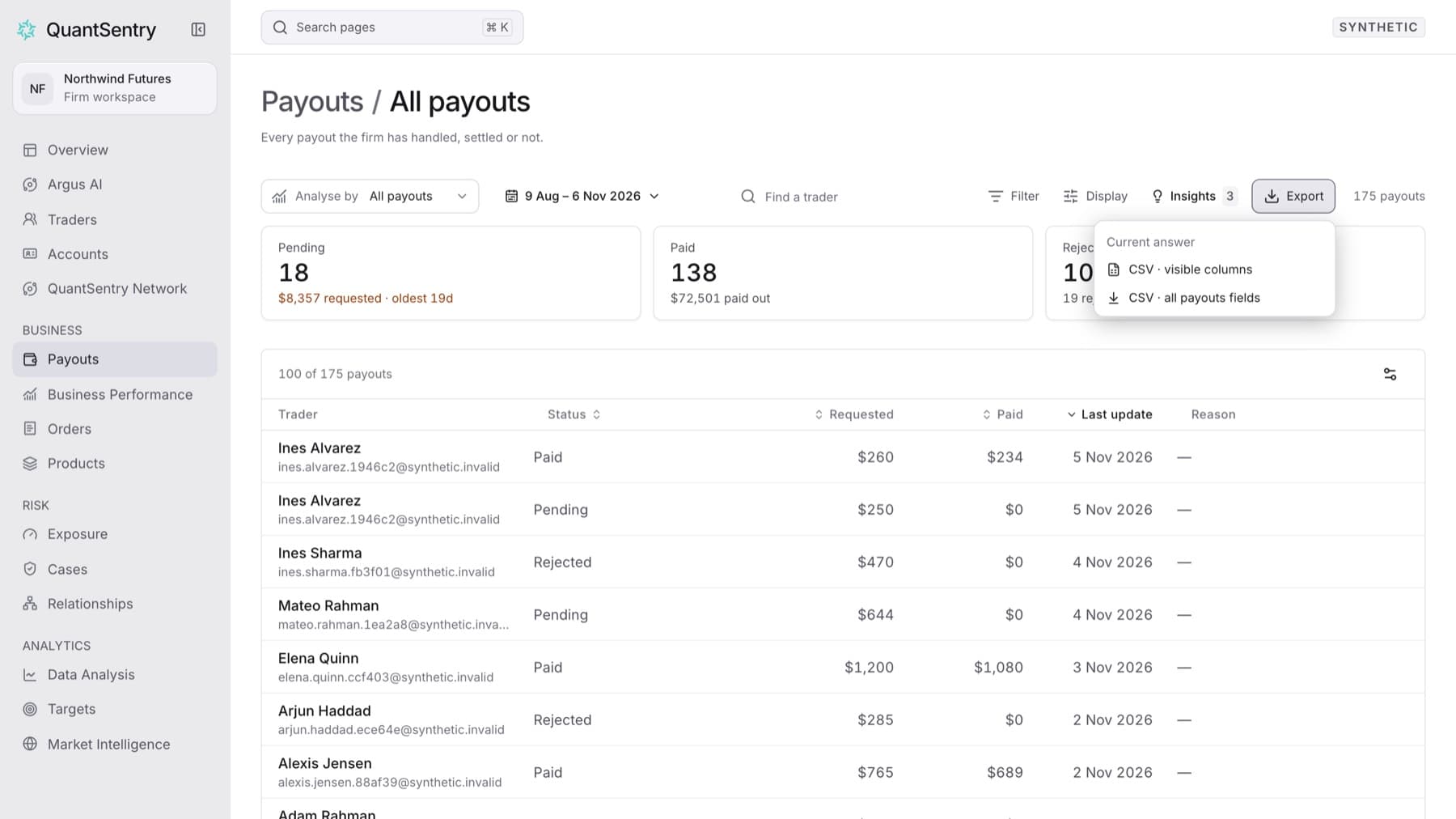
Download the payouts in the payout book as a CSV file, including payouts that are already paid or rejected. Any workspace role can do this.
- Click Payouts in the side menu.
- Click Payout book at the top of the page.
- Open the period control in the toolbar and choose the period you want to export.
- Optional: type a name in Find a trader or click Filter to narrow the rows.
- Click Export.
- Click CSV · visible columns to export only the columns on screen, or CSV · all payouts fields to export every field.
Result: Your browser downloads a CSV file with the same rows the table shows for your period, search and filters.