
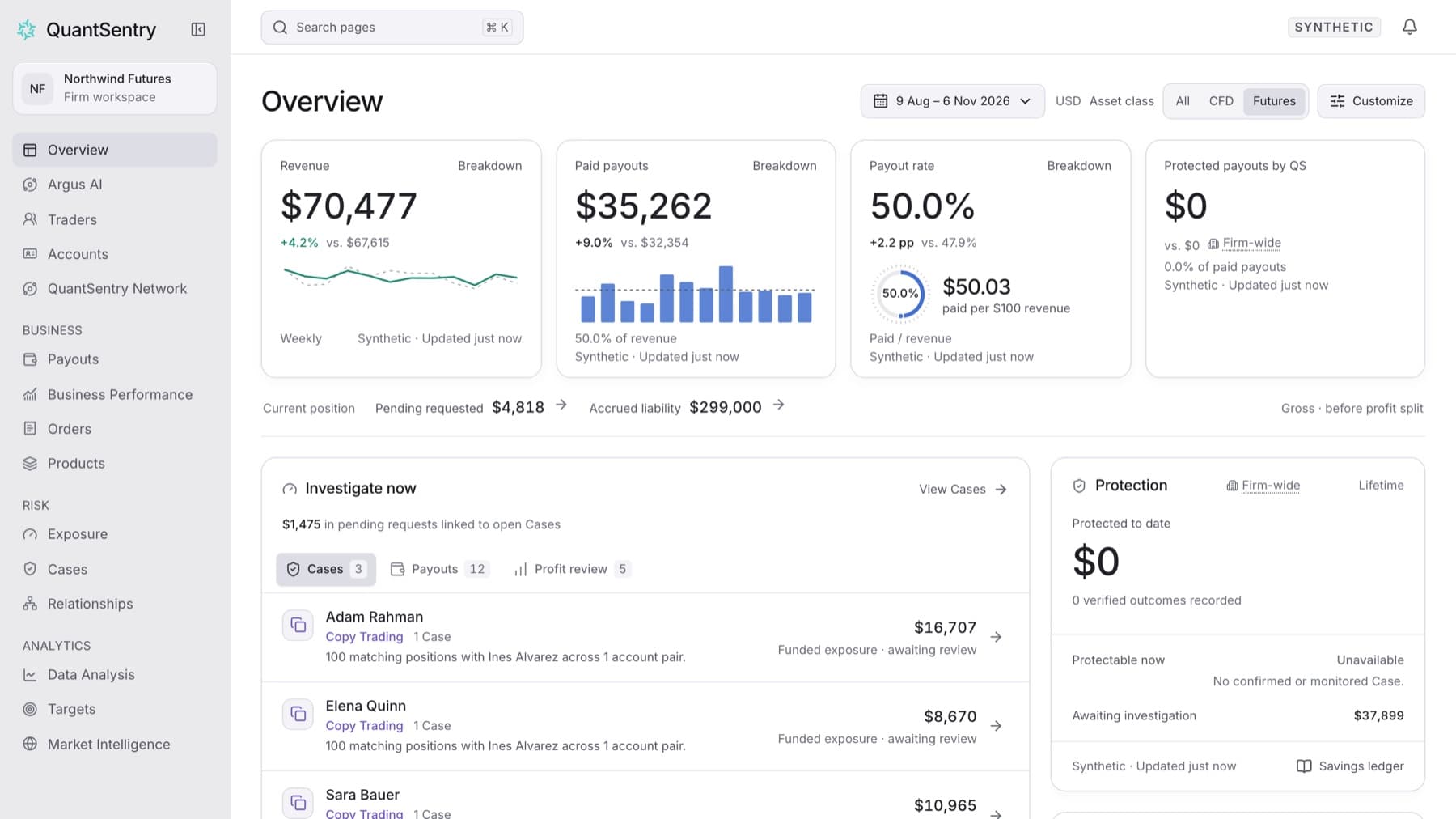
Narrow Overview to one asset class. The control appears only when your firm has more than one asset class.
- Open Overview.
- Find Asset class in the page header.
- Select CFD or Futures.
Tip: To see the whole firm again, select All.
Result: The cards and panels show figures for that asset class only. Figures that always cover the whole firm, such as Protected to date, are marked Firm-wide.
Tip: The asset class stays selected when you open Business Performance, Orders or Products from the sidebar.
If you do not see Asset class, your firm has one asset class, and Overview already shows all of it.