

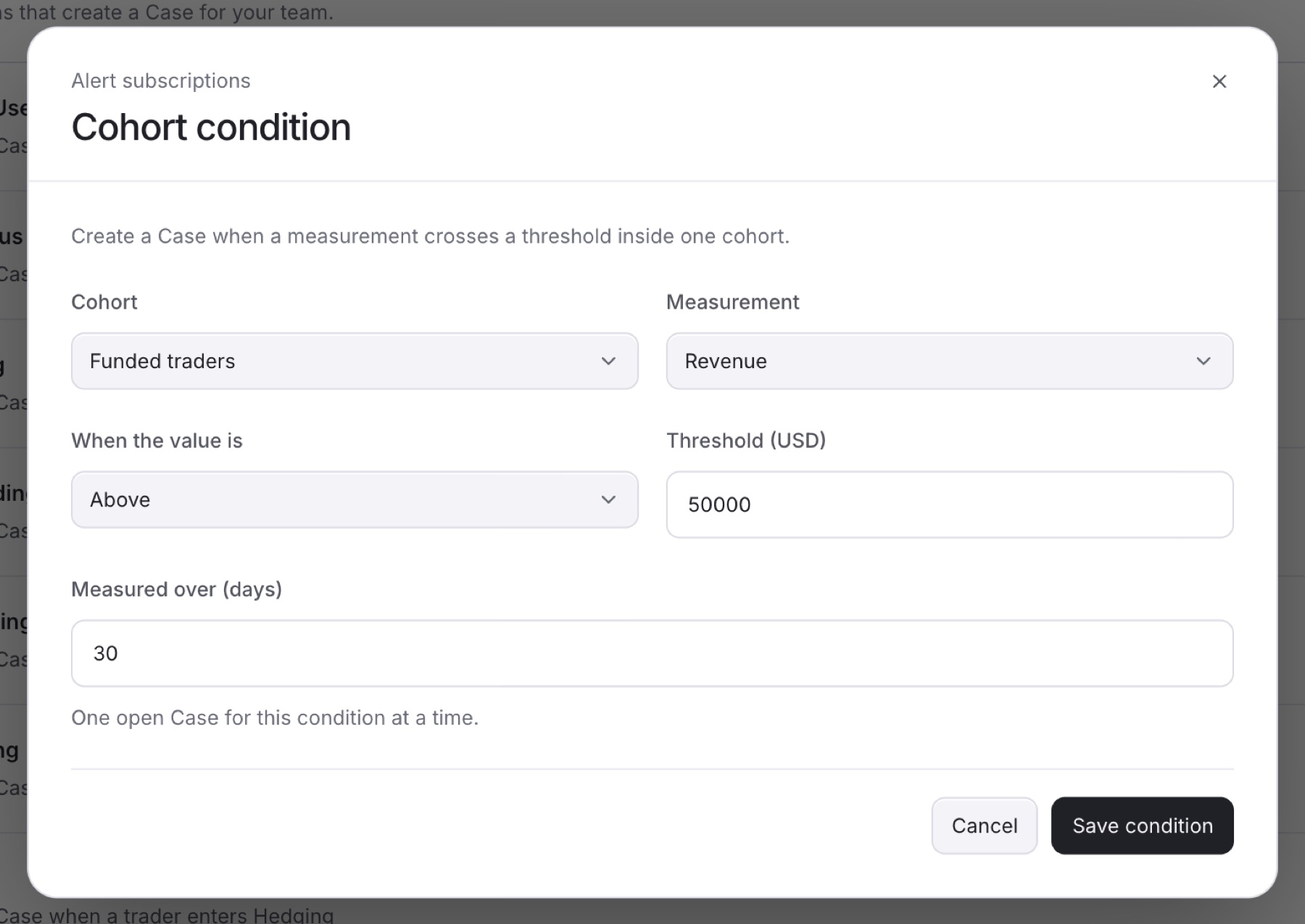
Add a cohort condition to open a Case when a metric crosses a threshold inside one group of traders. You need the Owner, Admin or Analyst role, and your firm needs at least one cohort.
- Go to
Settings > Detection. - Below the list, click Alert subscriptions.
- Click Cohort condition.
Tip: If you do not see Cohort condition, your firm has no cohort yet. Create one on the Cohorts tab with Create cohort first.
- Choose the Cohort.
- Choose the Measurement.
- Under When the value is, choose Above or Below.
- Enter the Threshold.
- In Measured over (days), enter how many days to measure (1 to 730). Some metrics do not show this field.
- Click Save condition.
Result: You see Condition saved. The new condition appears in the Alert subscriptions list.
Note: Each condition keeps one open Case at a time.