
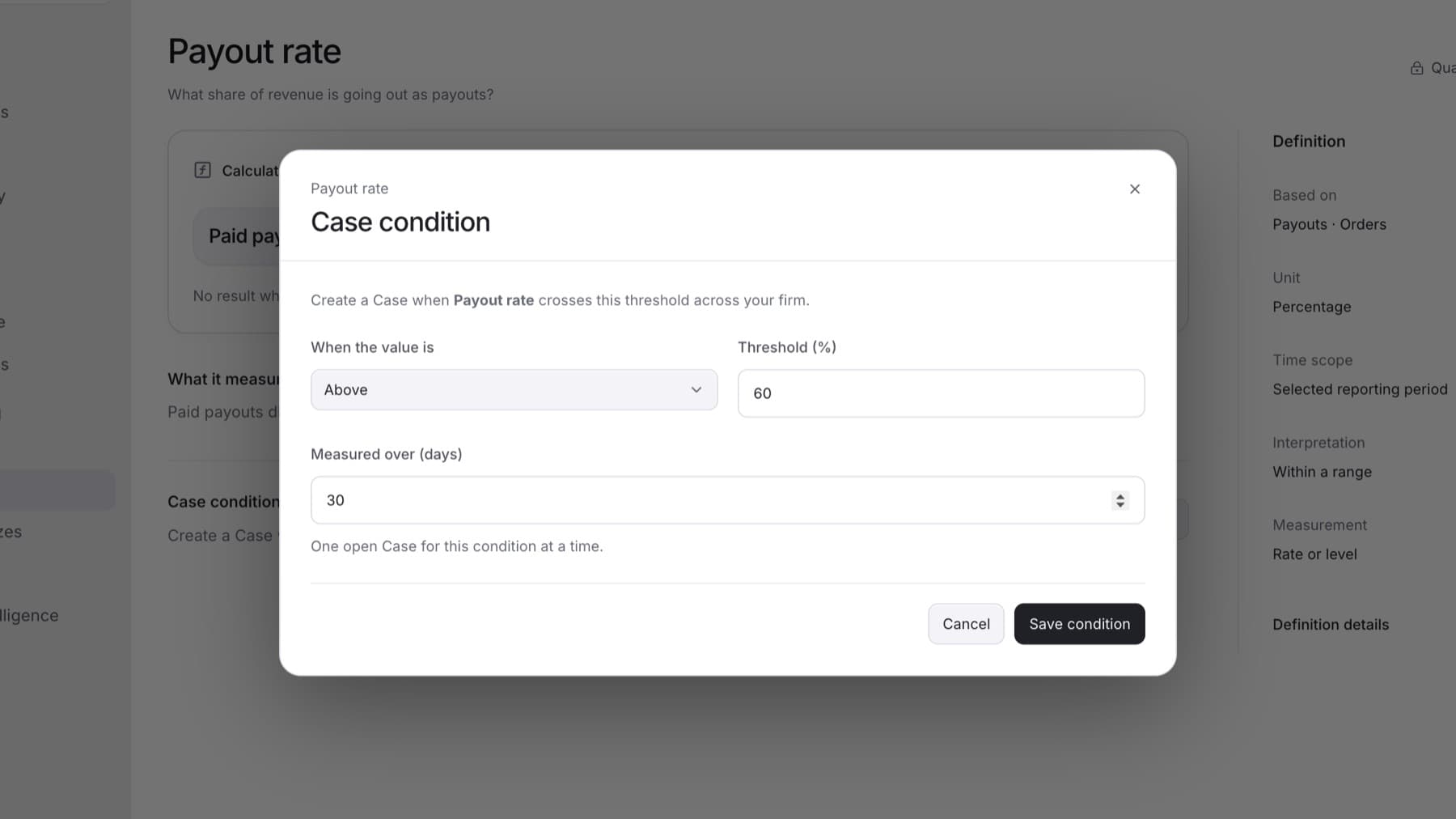
Set a Case condition so QuantSentry opens a Case when a metric goes above or below a threshold across your firm. You need the Owner, Admin or Analyst role.
- Select Settings, then under CONFIGURATION select Metrics.
- Select the metric.
- In the Case condition section, select Set condition. If a condition exists, select Edit condition.
- Under When the value is, select Above or Below.
- In Threshold, enter the value.
- In Measured over (days), enter how many days to measure, from 1 to 730.
Tip: Metrics that cover all recorded history show Time scope as All recorded history instead of this field.
- Select Save condition.
Result: The message Case condition saved. appears and the Case condition section states the rule. Only one Case is open for the condition at a time.
To stop the condition, open it again and select Turn off condition. The message Condition turned off. appears.