
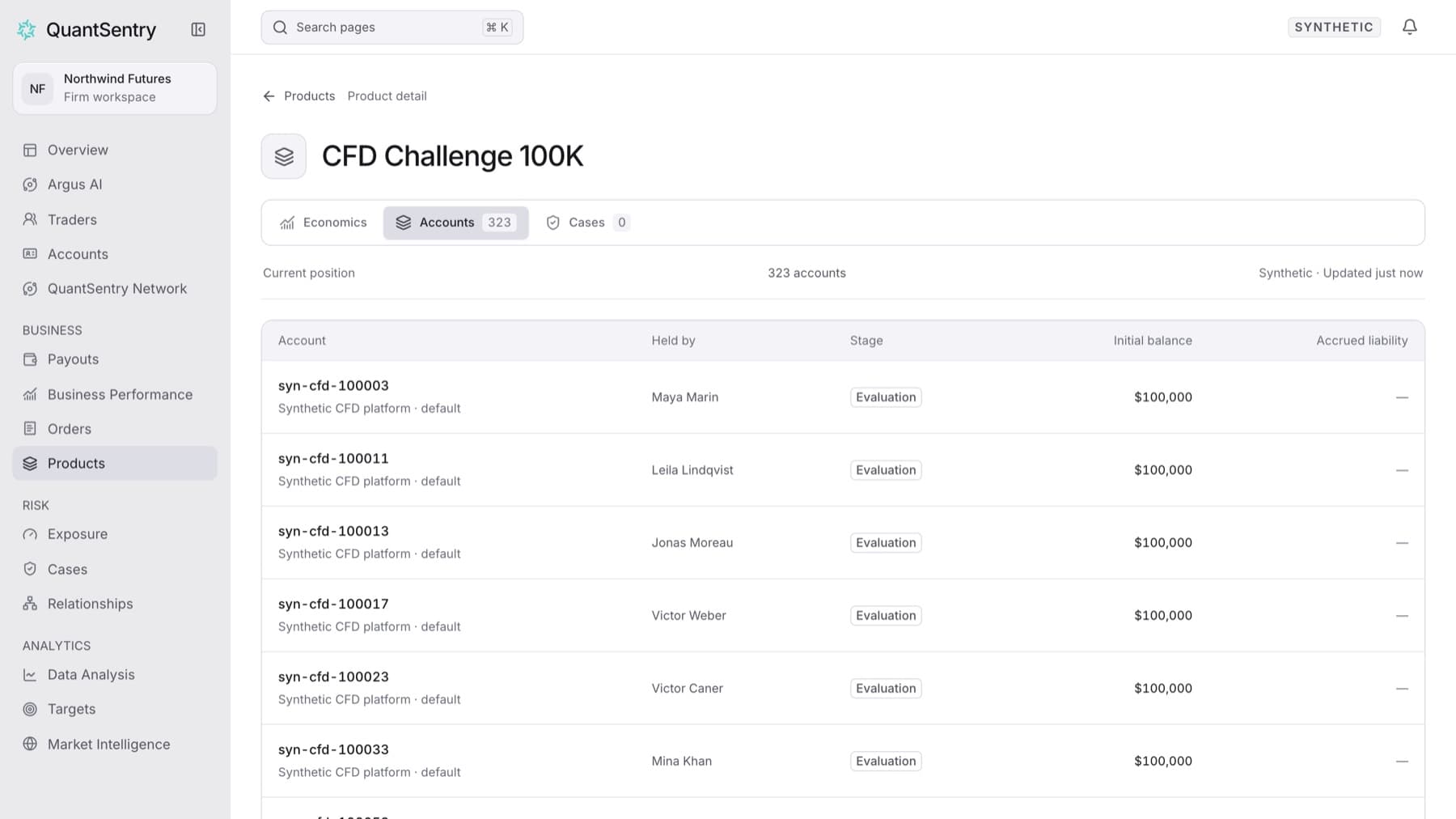
Open one product to see who holds it today and which of those traders are under investigation. Any workspace role can do this.
- Click Products in the side menu.
- Click the product name in the table. For example, click
Two-Step 50K.Tip: Type part of the name in Find a product… if the list is long.
- Click Accounts to see every open account on this product, who holds it, and its stage.
- Click a trader's name to open the trader profile.
- Go back, then click Cases to see the open Cases on traders who hold an account on this product.
- Click a Case to open it.
Result: The product page shows the product's accounts or Cases. Each tab shows a count.
Tip: Click Economics to see the product's revenue, paid payouts and orders for the selected period. Click Products above the title to go back to the list.