
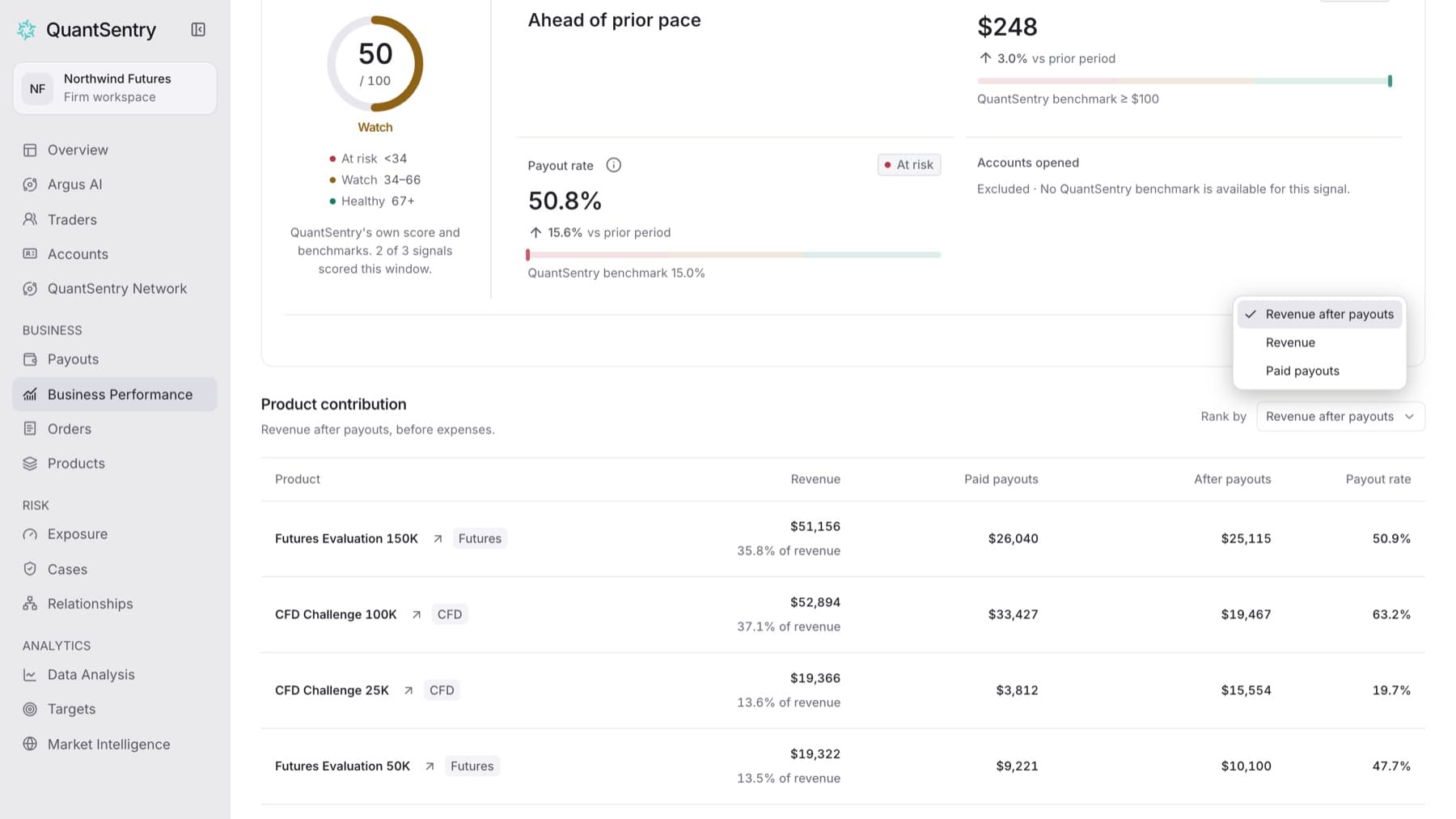
Find out which products contributed the most in a period. Any workspace role can do this.
- Click Business Performance in the side menu.
- Set the period with the period button at the top right.
- Scroll to Product contribution.
- Open Rank by and choose Revenue after payouts, Revenue or Paid payouts.
- Click a product to see the orders behind it.
Result: The table lists products from highest to lowest for your choice, with Revenue, Paid payouts, After payouts and Payout rate for each one.
Tip: A cell that reads Not mapped means the product is not linked to its payout plan yet. A cell that reads Unavailable means the figure could not be read. Neither one means zero.
To see every product, not only the top ones, click View all products.