
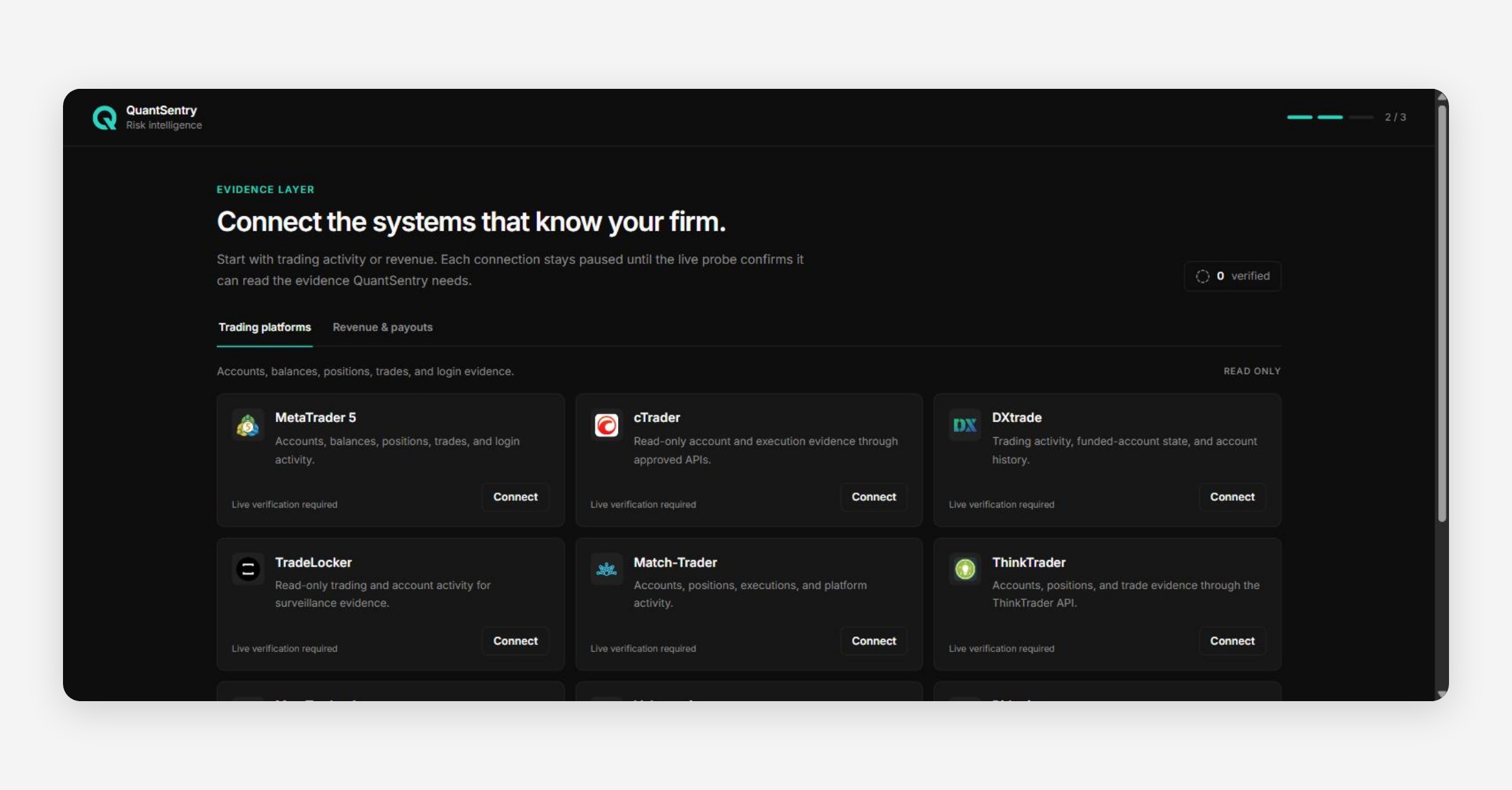
A new firm's first login opens on a setup checklist instead of an empty product. After creating an account and a workspace (see Sign-in and access), the firm owner lands on Get set up, a short list of four first actions that replaces reporting pages that would otherwise show nothing but zeros. Every step reads its "done" state from the same screens it sends you to, so nothing here marks itself complete just because you looked at it.
Get set up: the four-step checklist
The checklist header shows a progress ring and a {completed} / 4 counter that fills in as you complete the underlying setup elsewhere in the workspace. The four steps are laid out as an accordion, one open at a time:
Step | Done when | Status once done |
|---|---|---|
Add your trading platform | At least one connection in the trading category | Details saved |
Add your store or trader desk | At least one connection in the revenue category | Details saved |
Review your detection rules | Detection has been opened and marked reviewed | Reviewed |
Invite your team (Optional) | A draft or pending invitation exists, or the firm has more than one member | Team added / Invitation pending / Draft saved |
Each step's button opens the real screen behind it (Connections, Detection or Members) rather than a separate setup wizard, and for the first two steps it opens the Connections catalog pre-filtered to the right category. A completed connection step is labeled honestly, Data will appear after verification and the first successful sync., it never claims data is already flowing. The team step counts toward the 4/4 total even though it is labelled Optional, since reaching 4/4 is also what lands you on Overview automatically the next time you sign in.
Do this later, next to the page title, dismisses the guide and goes straight to Overview. Dismissing does not complete any step, and Get set up stays in the sidebar afterward for whenever you want to finish it.
Finding your way around
Once setup is complete or dismissed, the sidebar opens onto the rest of the workspace:
Area | What it answers |
|---|---|
Overview | What needs my attention today? |
Traders | Who is this person, and what is their complete relationship with us? |
QuantSentry Network | What signals about our traders exist across participating firms? |
Payouts | What has been requested, what is pending, and what was paid? |
Business performance | Is revenue turning into healthy retained value? |
Orders | What did we sell, to whom, and what revenue was verified? |
Products | Which products earn their place in the business? |
Exposure | How much is owed, and where is unusual profit concentrating? |
Cases | What should we investigate, and who is working on it? |
Targets | What are our goals, and how far are we from reaching them? |
Market intelligence | What is changing across the market and the firms we watch? |
Settings (Connections, Members, Detection, Metrics) | How is the workspace configured: data sources, team access and roles, detection rules, and the metric catalog? |
How it connects
Get set up sends you to Connections, Detection and Members to complete its steps, and lands on Overview once the checklist is finished or dismissed. An AI assistant, Argus, is also available elsewhere in the workspace if you'd rather ask a question than navigate to it yourself; see the Argus AI Assistant article for detail.