
QuantSentry changelog
Trader behavior analytics: one profile for every account, purchase and payout
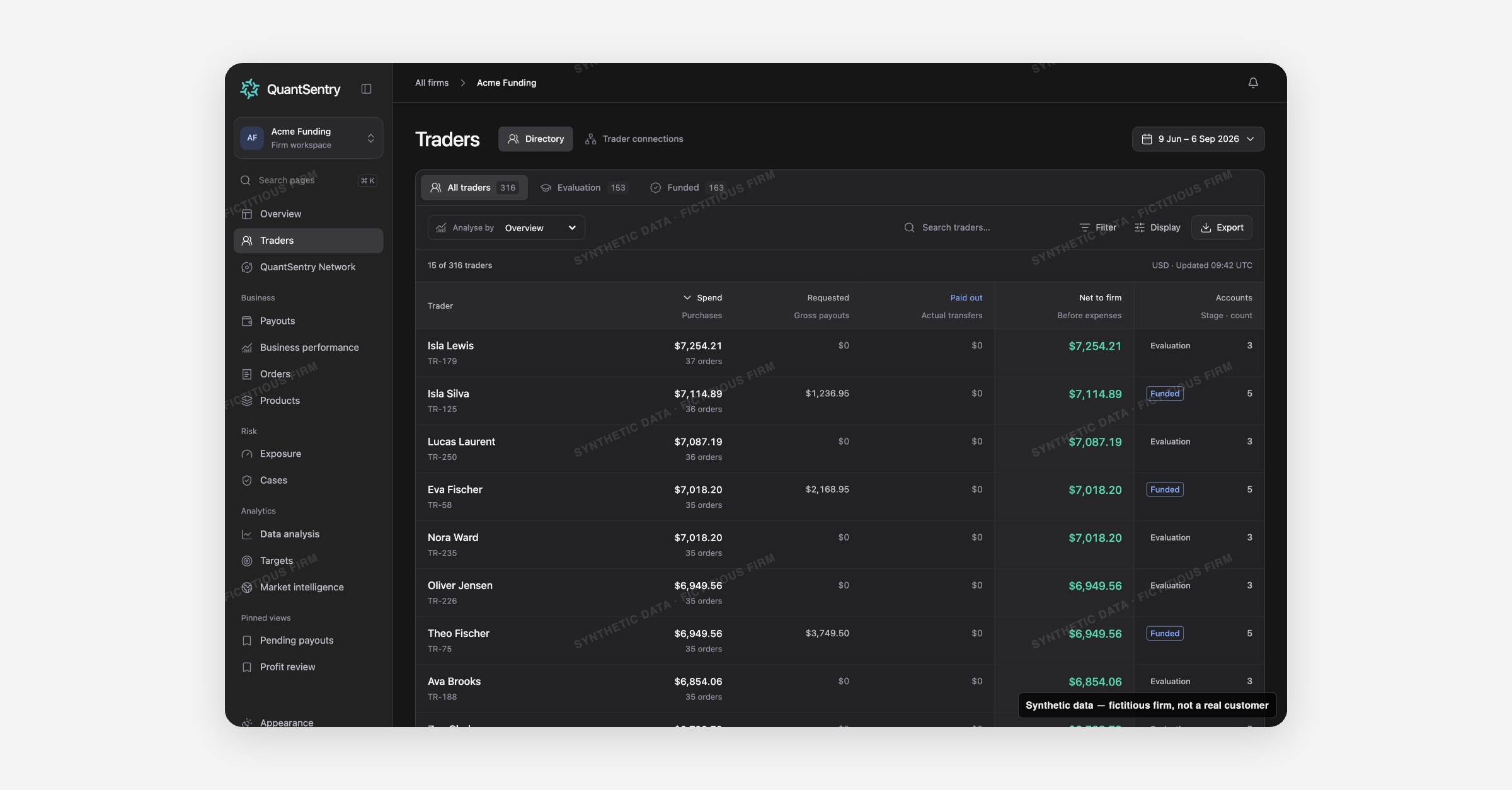
QuantSentry's Traders directory joins each person's purchases, evaluation and funded accounts, payout requests and recorded identifiers into a single profile, giving prop firms one source to analyze trader behavior instead of three disconnected systems.
Screenshot uses synthetic example data from a fictional firm ("Acme Funding"). No real customer or trader data is shown.
What's new
Traders is now previewable in the QuantSentry workspace as the single directory of every person the firm knows, whether they hold one evaluation account or five funded accounts across different platforms.
Instead of separate screens for purchases, payout requests and trading accounts, one row per person rolls all of it up, and an Analyse by selector re-projects the same table into four views: Overview, By spend, By payouts, and Recorded DNA.
Opening a trader opens a full profile with Overview, Cases, Accounts, Payouts, DNA & evidence, Network and Activity tabs.
Why it matters
When revenue sits in the commerce platform, payouts in a separate ledger and accounts across several trading platforms, the same person can look like several unrelated records, and multi-accounting or copy-trading rings hide in the gaps between systems.
Traders is built for trader behavior analytics: every figure is per person, not per account, so spend, requested payouts, paid out and net-to-firm roll up honestly, and shared identifiers such as address, phone, payment customer or checkout IP surface as evidence, never as an automatic fraud verdict.
That distinction matters for anyone doing a funded trader payout review who needs to know whether two accounts belong to one person before money goes out.
What you can do with it
Filter the directory by lifecycle: All traders, Evaluation, or Funded.
Switch Analyse by to see Spend, Requested, Paid out, Net to firm, Payout multiple, or Recorded DNA.
Search by name, person ID, account ID, or any recorded identifier value.
Open a trader's Trader DNA graph to see shared identifiers and connected people, each with its own written matching basis.
Check the Cases, Accounts and Payouts tabs on a profile for that person's full history in one place.
Export the current filtered view as a CSV for offline review.
How it fits with the rest of QuantSentry
A trader profile links directly into Cases for that person's open investigations, Payouts for pending requests, and QuantSentry Network for cross-firm signals about the same person.