
QuantSentry changelog
Team roles and permissions for prop firm workspaces, from first sign-in to invitation
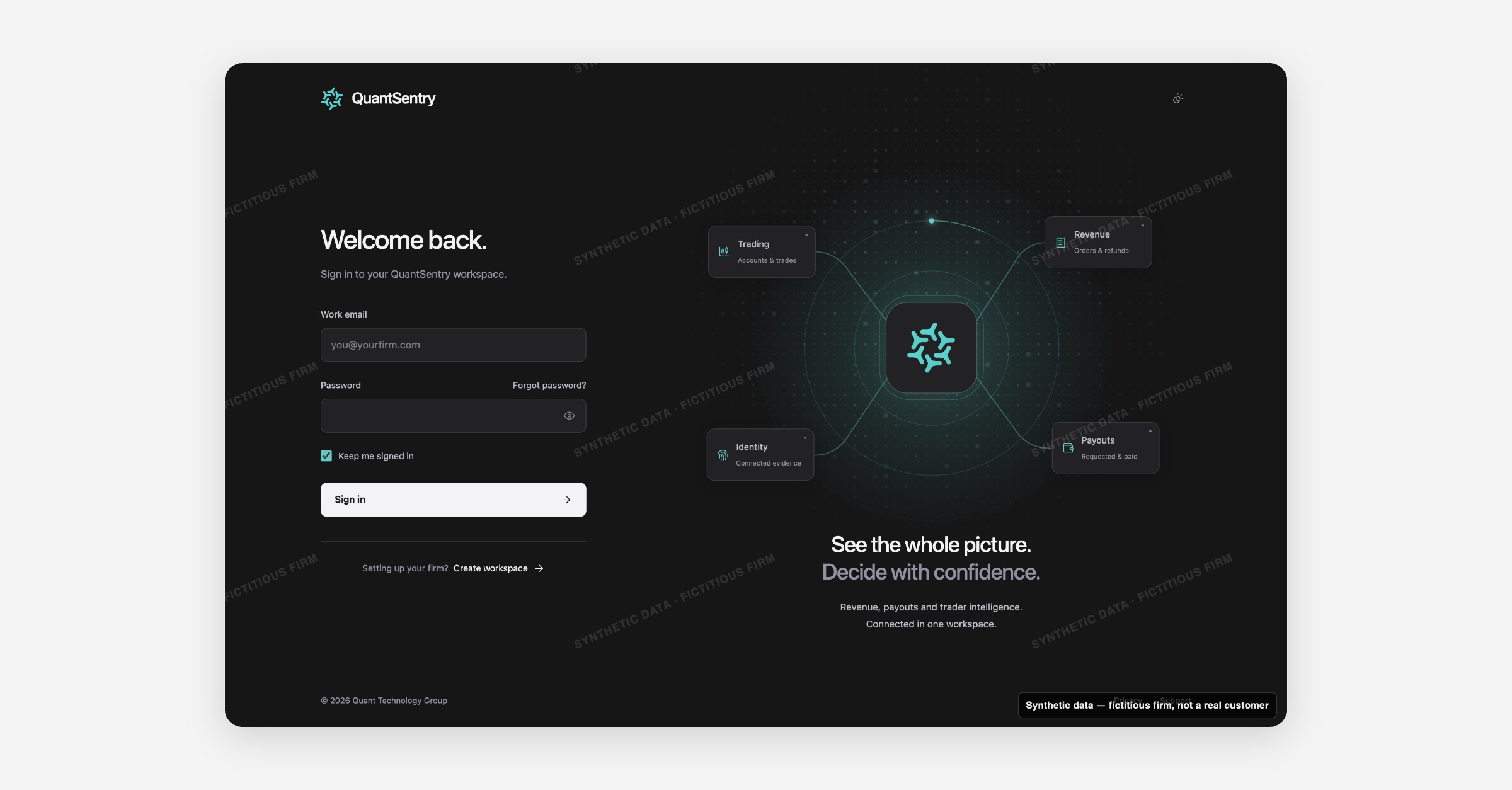
QuantSentry's new sign-in, sign-up and invitation screens, now previewable in the QuantSentry workspace, walk a prop firm owner from account creation to a named workspace, and give every invited teammate a clear Owner, Admin, Analyst or Viewer role from the start.
Screenshot uses synthetic example data from a fictional firm ("Acme Funding"). No real customer or trader data is shown.
What's new
Signing in, creating a workspace and joining a team as an invited member now have a dedicated flow.
Creating an account happens in two steps: first your name, email and password, then your firm's workspace name, and a failed save on the second step never loses what you entered on the first.
Password recovery and an invitation link each get their own screen, including honest states for an expired or already-used invitation, so nobody lands on a generic error page.
Why it matters
A new prop firm signing up, and every analyst or viewer invited afterward, forms a first impression of the platform before they ever see a dashboard.
QuantSentry now shows the canonical role, Owner, Admin, Analyst or Viewer, on every invitation, so a new teammate knows what they will be able to see and do before they join.
Expired and already-used invitations get their own explained state instead of a dead end, and every screen states plainly what did and did not happen, such as no password being changed or no email being sent, so role-based access to a prop firm workspace never leaves anyone guessing whether an action went through.
What you can do with it
Create an account and name your firm's Workspace in two clear steps
Sign in with Keep me signed in and a password show/hide toggle
Recover access through Forgot password? and Set a new password
Accept a team invitation that already shows Your workspace role (Owner, Admin, Analyst or Viewer)
See a clear explanation for an expired or already-used invitation instead of a dead end
Get help through a dedicated Help signing in screen
How it fits with the rest of QuantSentry
Sign-in and access is the front door to Getting started, the setup guide a firm owner sees on first login, and reads the same role labels used in Members, where invitations are actually sent.