
QuantSentry changelog
Role-based access control that keeps trader personal data with the people who investigate it
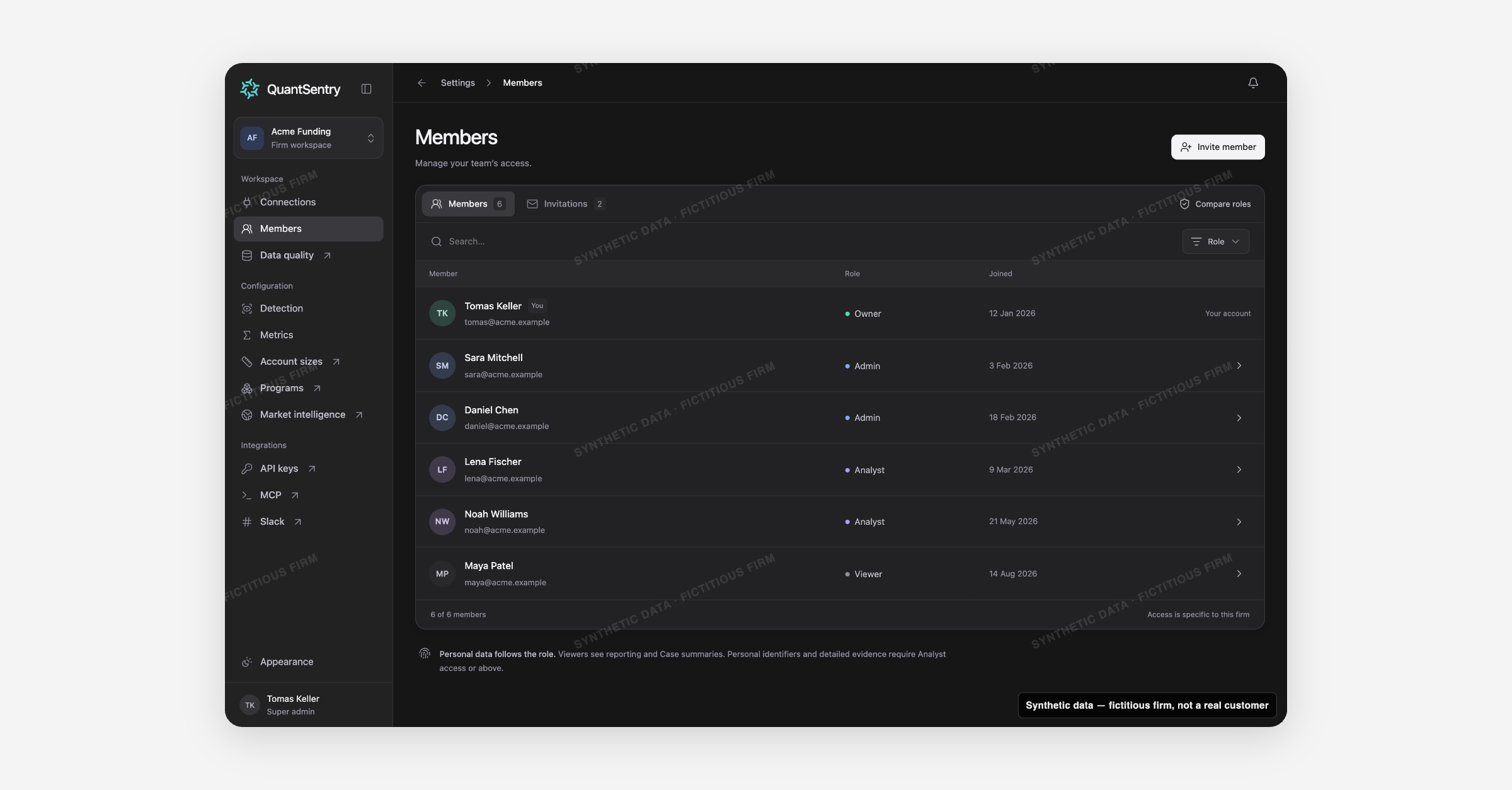
Members is now previewable in the QuantSentry workspace: invite your team into one of four roles, Owner, Admin, Analyst or Viewer, so personal identifiers and detailed evidence stay visible only to the people who investigate, not everyone with a login.
Screenshot uses synthetic example data from a fictional firm ("Acme Funding"). No real customer or trader data is shown.
What's new
The Members settings page is the directory of everyone with access to a workspace: their role, join date, and a running list of pending invitations.
Roles are hierarchical, a higher role includes everything the roles below it can do, and a Compare roles dialog lays out exactly which capabilities each one carries: reporting and Case summaries, personal identifiers and evidence, member and invitation management, connection management, and workspace and API key control.
Why it matters
Without role-based access control, a workspace's access is either all-or-nothing or managed outside the product with no visible rules.
An owner or admin needs to add colleagues and give each the least access their job needs, without risking a firm with no owner left or a half-finished invite quietly granting access.
For a compliance-minded operator, trader identifiers and detailed evidence should only be visible to people who actually investigate, not a read-only stakeholder who only needs reporting and Case summaries.
Members enforces that separation as a role, not a manual process someone has to remember.
What you can do with it
Invite a teammate with Invite member, picking a role from radio cards with plain-language descriptions, defaulting to the least-privileged Viewer.
Compare every role side by side in Compare roles before deciding who gets what.
Open Member access to change a person's role or remove them; past contributions stay attributed to them after removal.
Search and filter the roster by name, email or role, including a one-click Can manage access filter.
Track invitations through draft, awaiting acceptance and expired states, and renew an expired one in one click.
Rely on built-in guards: you cannot edit your own access, and the last Owner cannot be demoted or removed.
How it fits with the rest of QuantSentry
Role grants set in Members decide who can manage Connections (Owner and Admin), and who can see personal identifiers and detailed evidence on Traders and Cases.
Access is specific to each firm's workspace, so a person's role in one firm never carries over to another.