
QuantSentry changelog
Prop firm revenue targets tracked with daily pace to goal
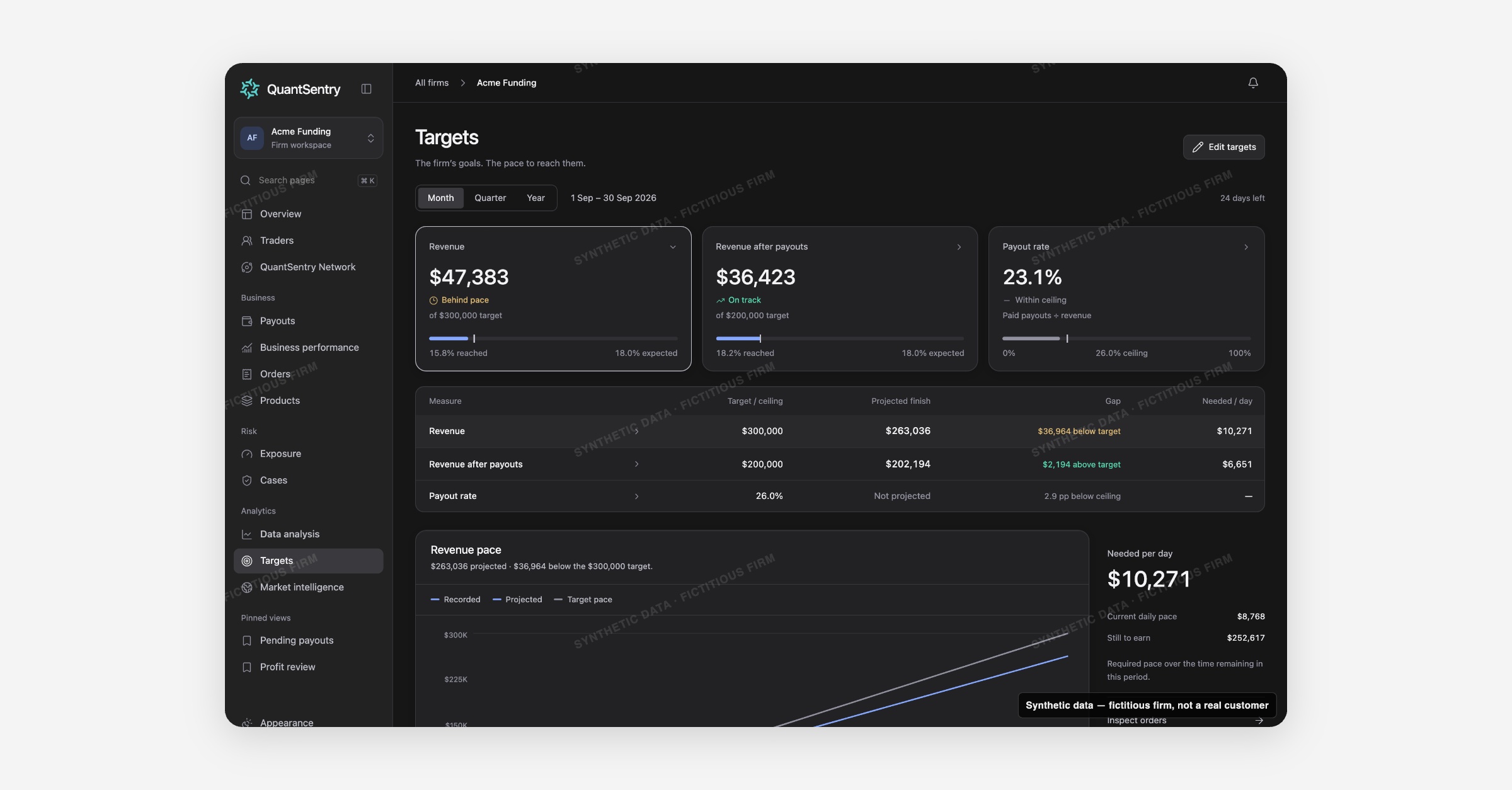
Targets brings goal-setting and progress tracking onto one page: set a revenue target, a revenue-after-payouts target, and a payout rate ceiling, then see exactly how much you need per day to hit them.
Screenshot uses synthetic example data from a fictional firm ("Acme Funding"). No real customer or trader data is shown.
What's new
Targets is now available to try in the QuantSentry workspace as a single consolidated page for firm goals, replacing a setup screen that lived separately from progress tracking.
Owners set monthly, quarterly, or yearly goals for revenue and revenue after payouts, plus a payout rate ceiling, and see actual performance against each one using the same verified numbers that power Business performance.
A projected finish, the gap to target, and the amount needed per day update automatically as the period progresses.
Why it matters
Prop firm owners often track revenue targets in a spreadsheet that goes stale the moment the month starts moving, with no way to tell mid-period whether they're on pace.
Targets treats goals and ceilings as different kinds of numbers: revenue and revenue after payouts are goals to reach or exceed, while payout rate is a ceiling the firm wants to stay under, so it is measured, never projected forward.
A transparent projection method (average recorded pace extended over the rest of the period, no seasonality or forecasting assumptions) means the pace shown is one an operator can trust for funded trader payout review and business planning alike.
What you can do with it
Switch the tracking period between Month, Quarter, and Year
Set or edit a Revenue target, Revenue after payouts target, and Payout rate ceiling in one dialog
See each measure's status at a glance: Reached, On track, Behind pace, or Above ceiling
Read the Needed per day figure to know exactly how much more revenue is required to close the gap
Drill into a selected measure's chart for recorded, projected, and target pace lines
Jump straight to Inspect orders, Compare products, or View paid payouts from the relevant target
How it fits with the rest of QuantSentry
Targets uses the same revenue, revenue after payouts, and payout rate definitions as Business performance, and its drill-down links carry the selected period into Orders, Products, and Payouts so you can investigate the numbers behind the pace.