
QuantSentry changelog
Cross-firm fraud signals for traders you already know
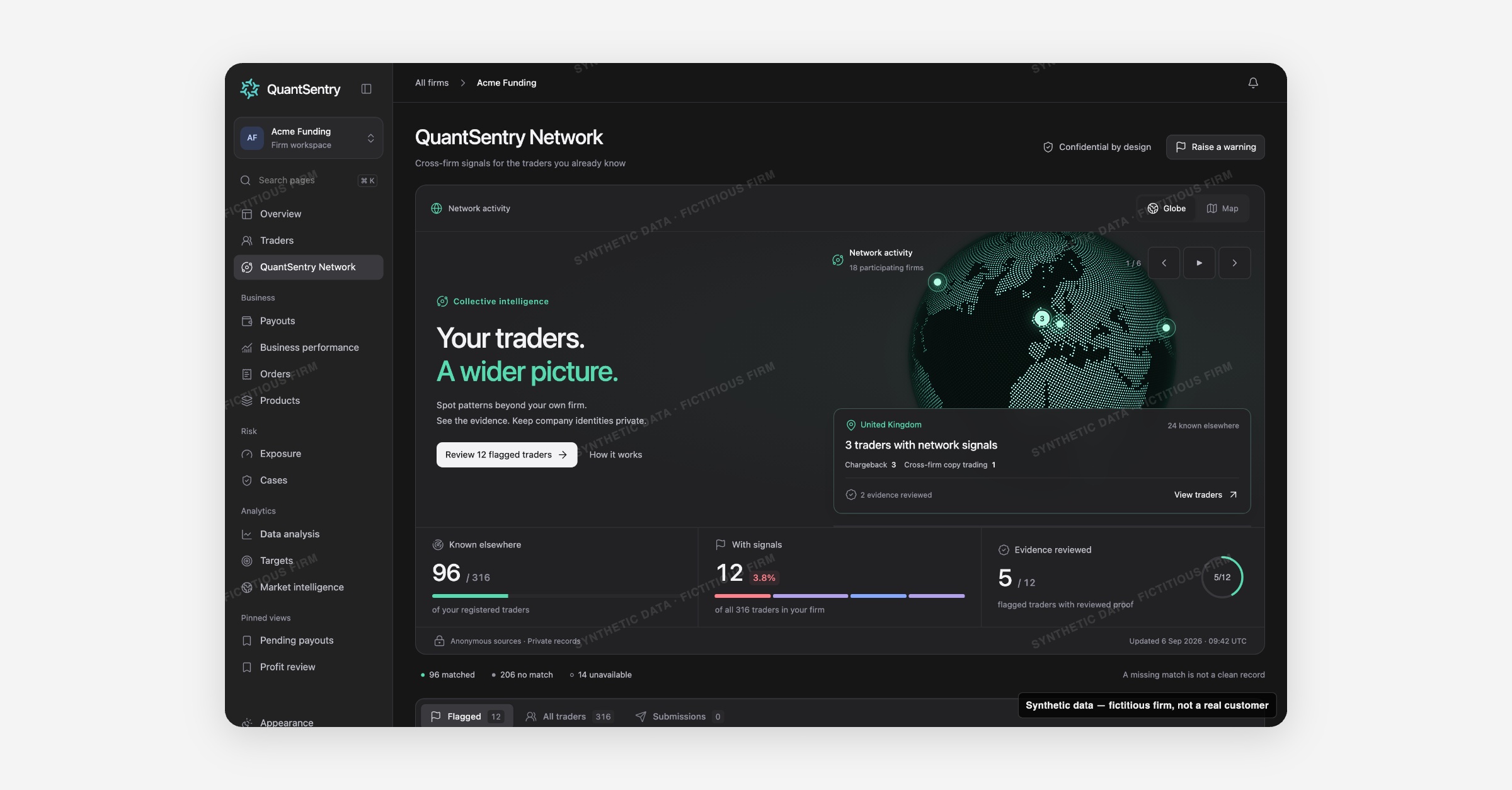
QuantSentry Network shows whether other participating prop firms have flagged a trader already in your directory, returning anonymous counts and evidence states instead of raw data, so signals from other firms surface before a payout goes out.
Screenshot uses synthetic example data from a fictional firm ("Acme Funding"). No real customer or trader data is shown.
What's new
QuantSentry Network is now previewable in the QuantSentry prototype workspace, built on synthetic firms ahead of a production rollout that stays gated until matching, privacy and serving requirements are validated.
For each person already in a firm's Traders directory, it shows whether other participating firms recognize the same person (matched on a normalized, hashed email, never by name), which signal categories exist (chargeback, cross-firm copy trading, identity verification, cross-firm hedging), and how strong the evidence is: Submitted, Corroborated, Detected, or Evidence reviewed.
A globe and map view group a firm's own matched traders by country, and a register lists flagged traders for review.
Why it matters
A trader who failed identity verification, charged back, or ran a copy-trading scheme at another firm can look completely clean at yours, because every firm currently sees only its own history, and fraud rings count on that gap.
QuantSentry Network is built to surface cross-firm fraud signals without exposing a firm's own traders or business data to competitors: only anonymous counts, categories, evidence states and dates come back, never another firm's name, contact details, accounts or case notes.
A missing match is labeled as exactly that, not treated as a clean record, which matters for prop firm risk management decisions made under time pressure.
What you can do with it
Check Known elsewhere, With signals, and Evidence reviewed counts across your whole trader base.
Explore signals by country on the interactive Globe or Map view.
Open a trader's network profile to see each signal's category, evidence state, and how many other firms are involved, without seeing which firms.
Attach a network snapshot to an open Case with Add context to a Case, without changing the Case's status or owner.
Raise a private warning about one of your own traders, or request a review of a match or signal you believe is wrong.
How it fits with the rest of QuantSentry
Every drill-down opens the firm's own Traders profile, never another firm's screen, and a flagged signal can be attached as context to an existing Cases investigation.