
QuantSentry changelog
An onboarding checklist that gets a new prop firm workspace connected, reviewed and staffed
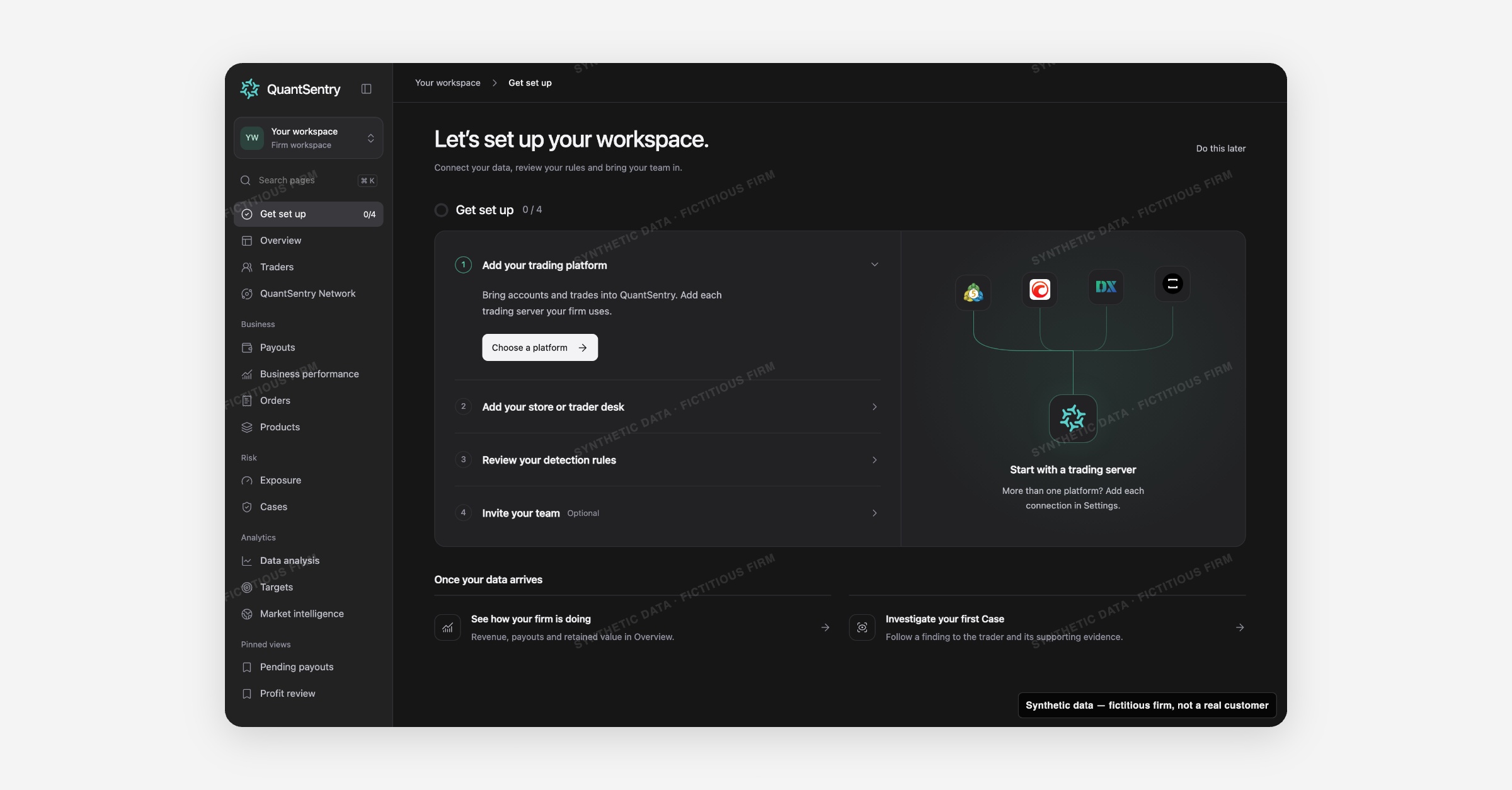
QuantSentry's new Getting started guide, now previewable in the QuantSentry workspace, walks a firm owner through four setup steps, adding a trading platform, adding a revenue source, reviewing detection rules and inviting the team, with progress that only advances once each step is genuinely done.
Screenshot uses synthetic example data from a fictional firm ("Acme Funding"). No real customer or trader data is shown.
What's new
The new Getting started guide greets a firm owner's first login with a four-step checklist instead of a dashboard full of zeros: Add your trading platform, Add your store or trader desk, Review your detection rules, and Invite your team.
Each step's status, such as Details saved or Reviewed, is read directly from the Connections, Detection and Members screens it links to, not from a separate flag, so opening a page never marks a step done by itself.
A progress ring tracks completed steps out of four, and Do this later dismisses the guide without losing that progress.
Why it matters
An empty product with no obvious first action, and reporting pages full of zeros, looks broken rather than new.
Getting started gives a firm owner a concrete order of operations for prop firm platform setup: connect trading data, connect commerce data, check that the default detection rules match how the firm actually investigates, then bring in the team with the right role.
Because detection only counts as reviewed after the owner opens the page and confirms it, and an invitation only counts once it exists as a draft or is pending, this onboarding checklist never gives false confidence that data is flowing or that a teammate already has access.
What you can do with it
Work through the Get set up checklist for trading data, revenue data, detection rules and team invitations
Jump straight into Connections, Detection or Members from each step's button
Track progress with a {completed} / 4 counter and progress ring
Mark detection Reviewed only after opening the page and confirming the rules
Dismiss the guide with Do this later and pick it back up from the sidebar anytime
How it fits with the rest of QuantSentry
Getting started is reached right after creating a workspace in Sign-in and access, and hands off to Connections, Detection and Members for the actual setup work; once all four steps are done it lands the owner on Overview.