
QuantSentry changelog
A prop firm risk management dashboard for payouts and case triage
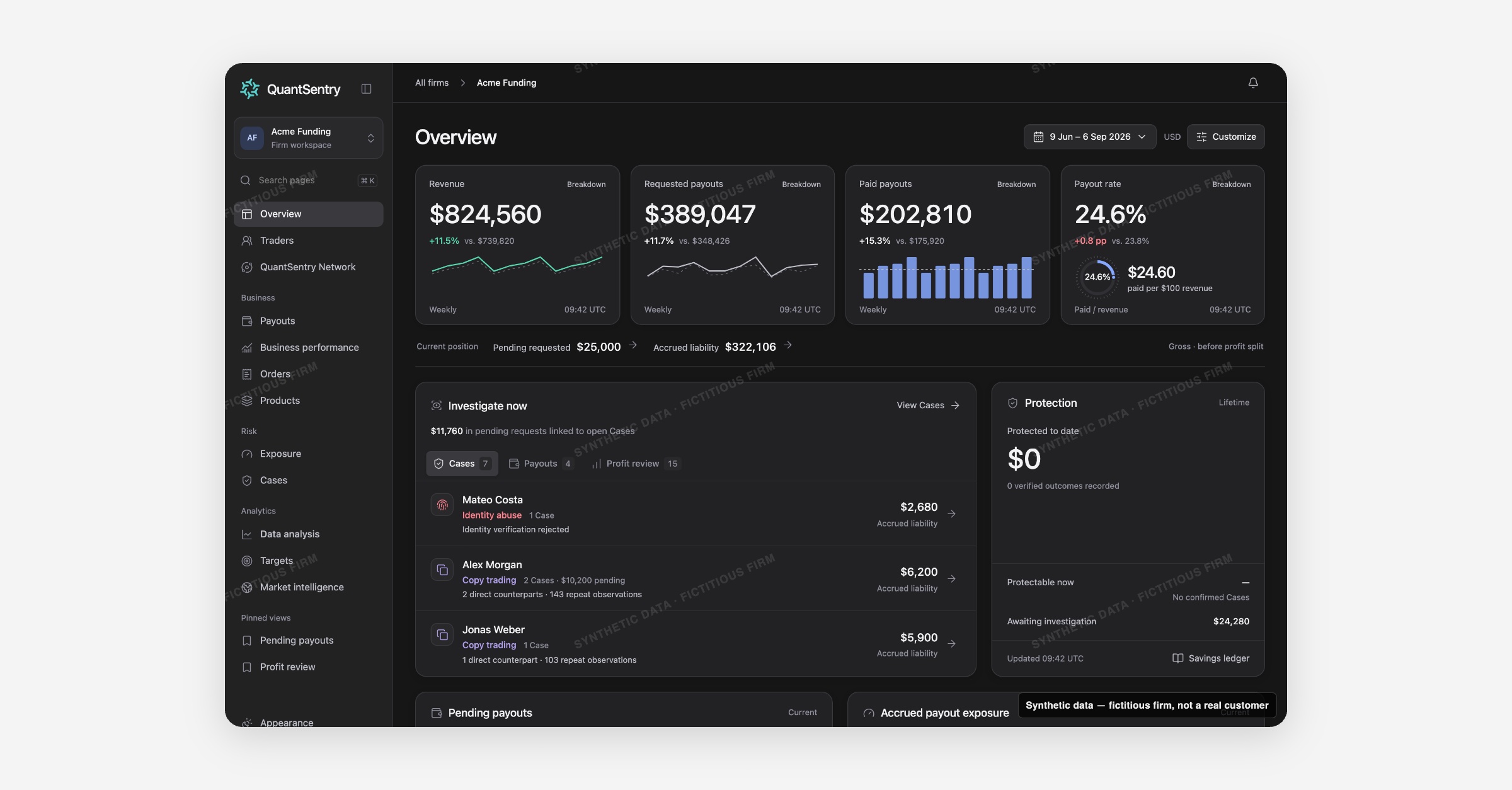
QuantSentry's Overview page puts revenue, requested and paid payouts, payout rate, accrued liability and open Cases on one home screen, so prop firm owners and risk teams see what needs review today without pulling reports from separate systems.
Screenshot uses synthetic example data from a fictional firm ("Acme Funding"). No real customer or trader data is shown.
What's new
Overview is now previewable in the QuantSentry workspace as the signed-in home page for a firm.
A headline strip tracks four metrics at a time (by default Revenue, Requested payouts, Paid payouts and Payout rate), a Current position band shows pending requested amounts and accrued liability, and an "Investigate now" panel ranks traders with open Cases, pending payout requests linked to a Case, and funded accounts above the 4% profit review threshold.
A Protection panel tracks verified savings recorded in the Savings Ledger.
Owners can choose their own four headline measures and panel order and save the result as a pinned view.
Why it matters
Without one screen, a firm's daily position gets assembled by hand from the trading platform's back office, commerce reports and spreadsheets, and the request that matters most, a large payout from a trader already under investigation, is easy to miss.
Overview is built for prop firm risk management: requested and paid payouts are always kept separate, current-position figures are labeled "gross, before profit split," and potential exposure is never counted as savings.
That gives owners and payout reviewers one honest number to work from before a funded trader payout review turns into an approval.
What you can do with it
Track Revenue, Requested payouts, Paid payouts and Payout rate, each with a period-over-period change and a trend chart.
Open Investigate now to triage across Cases, Payouts (pending requests linked to an open Case), and Profit review (accounts above the 4% threshold with no Case yet).
Check Current position: pending requested amount and accrued liability, one click from Payouts or Exposure.
Review Protected to date and the underlying verified outcomes in the Savings Ledger.
See the Accrued payout exposure histogram of funded accounts by profit-to-balance band.
Choose your own four headline measures and panel order, then Save & pin the view.
How it fits with the rest of QuantSentry
Overview's Investigate now panel routes into Cases and Payouts, the Current position band links to Exposure, and the Product performance panel opens into Products and Business performance.